Food Recall Log
A food recall log for recording each recall or withdrawal: the date, the alert, the supplier, the product and batch codes, where the stock was, the quantity, what you did with it, who did it, whether customers needed telling and when it closed.
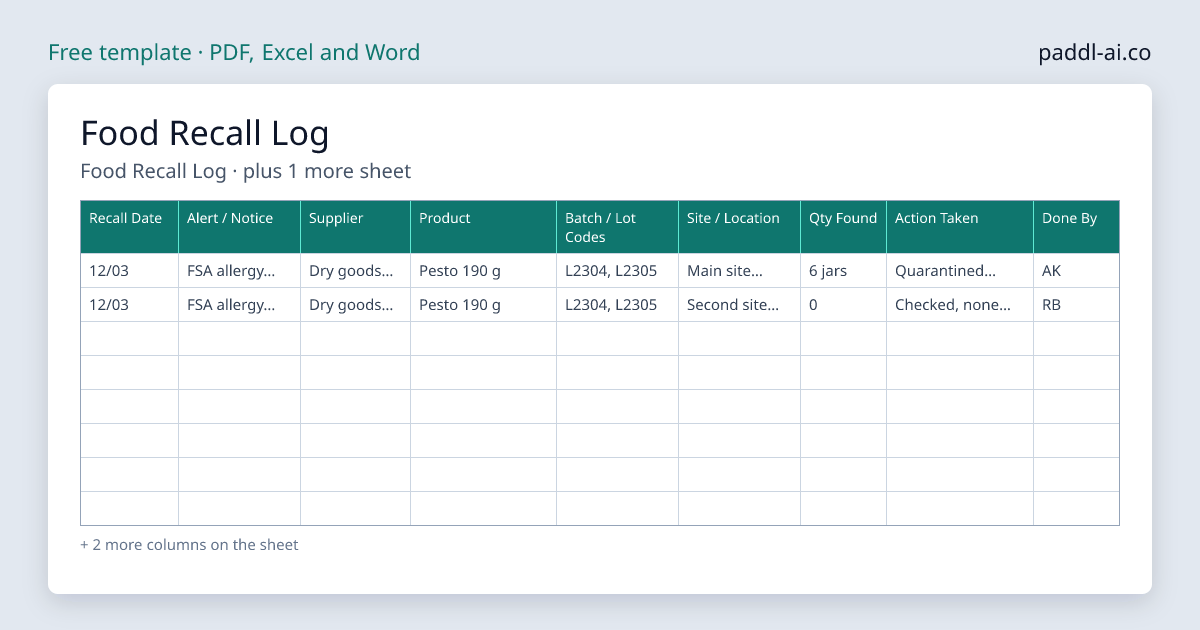
The Food Recall Log is a free download for UK food businesses, a PDF to print or an Excel or Word file to edit, with 2 record sheets: recall log with a line per product and site, recall date, alert or notice, supplier and product columns, batch or lot code and site or storage location columns. Download it, print it or fill it in, and keep it with your food safety records; Paddl keeps the same records on a phone with timestamps and reminders.
When the FSA or a supplier recalls a product, you need to answer three questions fast: did we have it, where is it, and what did we do with it. This free log gives each recall a line per product and site, so the batch codes, the stock you found, and what happened to it are written down in one place. Keep it with your delivery records. An inspector or your supplier may ask to see it.
The 2 sheets in this template
Every sheet below is in the download. Choose a PDF to print, or an Excel or Word file to add your own fridges, dishes or staff before you print.
1. Food Recall Log
One line per product and site, including sites where none was found.
| Recall Date | Alert / Notice | Supplier | Product | Batch / Lot Codes | Site / Location | Qty Found | Action Taken | Done By | Customer Notice Needed? | Closed Date |
|---|---|---|---|---|---|---|---|---|---|---|
| 12/03 | FSA allergy alert | Dry goods supplier | Pesto 190 g | L2304, L2305 | Main site, dry store | 6 jars | Quarantined, then returned to supplier | AK | No, none served | 14/03 |
| 12/03 | FSA allergy alert | Dry goods supplier | Pesto 190 g | L2304, L2305 | Second site, walk-in | 0 | Checked, none found | RB | No | 12/03 |
Worked examples, then 16 blank rows to fill in on the download.
2. Recall Steps Checklist
Work through this when a recall or withdrawal notice arrives.
| Step | Done | Time | Initials |
|---|---|---|---|
| Read the notice: product, pack size, batch codes, dates and reason | |||
| Check every site and storage area against the batch codes | |||
| Quarantine affected stock with a "Do not use" label | |||
| Contact the supplier for return or collection | |||
| Check whether affected food has been used or served | |||
| Follow the notice on telling customers | |||
| Return or destroy stock as instructed and record which | |||
| Close the recall and file the notice with this log |
Paddl does this automatically
Instead of filling in paper templates, Paddl generates food recall logs automatically with AI - complete with digital signatures, mobile access, automatic reminders, and audit-ready records for EHO inspections.
Why you need this
What's included
How to use this template
Start a line when the alert arrives
Write the date, where the alert came from (FSA alert, supplier, local authority), the product and every batch code it names.
Check every site and storage area
Look in dry stores, fridges, freezers and prep areas at each site. Add a line for each site, including the ones where you found nothing.
Quarantine first, then follow the notice
Move affected stock to a marked area with a "Do not use" label. Return or destroy it as the notice or supplier instructs, and record which.
Decide whether customers need telling
If affected food may already have been served or sold, follow the instructions in the notice and record what you did.
Close it
Write the date the recall was closed once every site has acted, and keep the log with your delivery records.
Tips for getting the most from this template
Download Food Recall Log
Choose a PDF to print, or an Excel or Word file to edit. Enter your email and it downloads straight away.
Free download. No spam. Unsubscribe anytime.
Recalls recorded with the batches they cover
- A recall linked to the batches it covers
- Each site logs its own action
- Staff see the recall on the app
- The batch register searchable by batch number
In Paddl a recall is recorded with the lots it covers, in any status, and each site records what it did with each lot, on the web or on the recall screen in the app. With batch traceability on, any product or batch code can be traced to its delivery, and FSA food alerts are checked against your lots every hour.
Start free with code TOOLSANDTEMPLATESCard required. Nothing to pay for your first two months. Cancel anytime.
Skip the paperwork entirely
Paddl digitises everything in this template - and more. AI-generated plans, mobile completion, automatic alerts, and audit-ready records. No printing, no filing, no gaps.